

 DE
DE EN
EN














This is the complete documentation for STM B2B Register (version 1.0.0), listed on the Adobe Commerce Marketplace as B2B Registration & Approval. Everything on this page is free to read — no registration, no account.
User Guide
Overview
STM B2B Register adds a dedicated B2B registration form to your Magento 2 / Adobe Commerce store. New B2B accounts land in a pending customer group, are blocked from login until approval, and trigger transactional emails to both the customer and the shop owner at every stage of the approval workflow. The extension is configuration-driven, translatable, and compatible with Hyvä and Luma-based themes. All admin settings are scope-aware down to the store-view level.
The Customer Journey (Frontend)
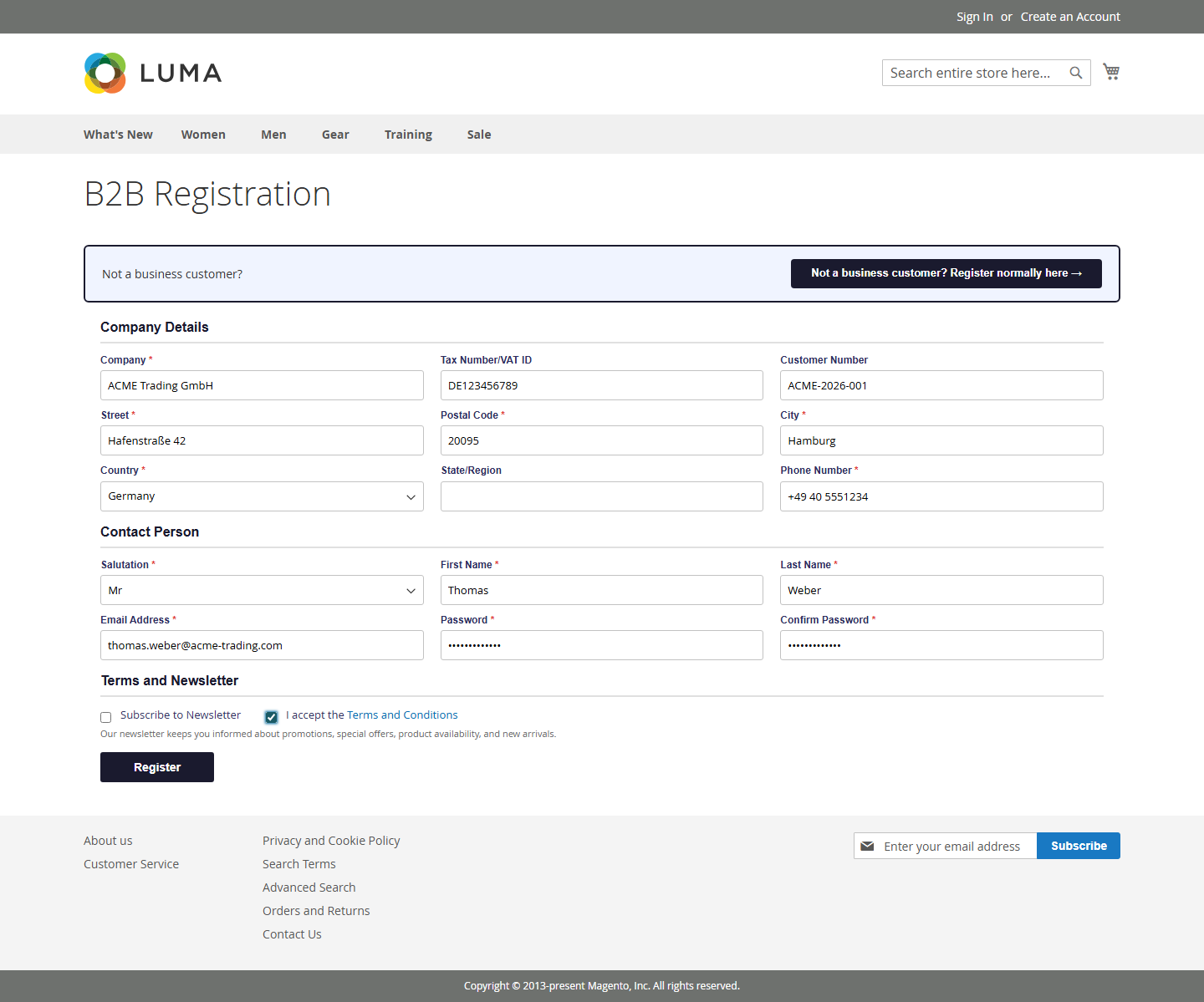
B2B customers access the registration form at /b2bregister/account/create. The form captures company data, tax information, a delivery address, and the contact person — all required for B2B onboarding that a standard Magento registration does not capture.
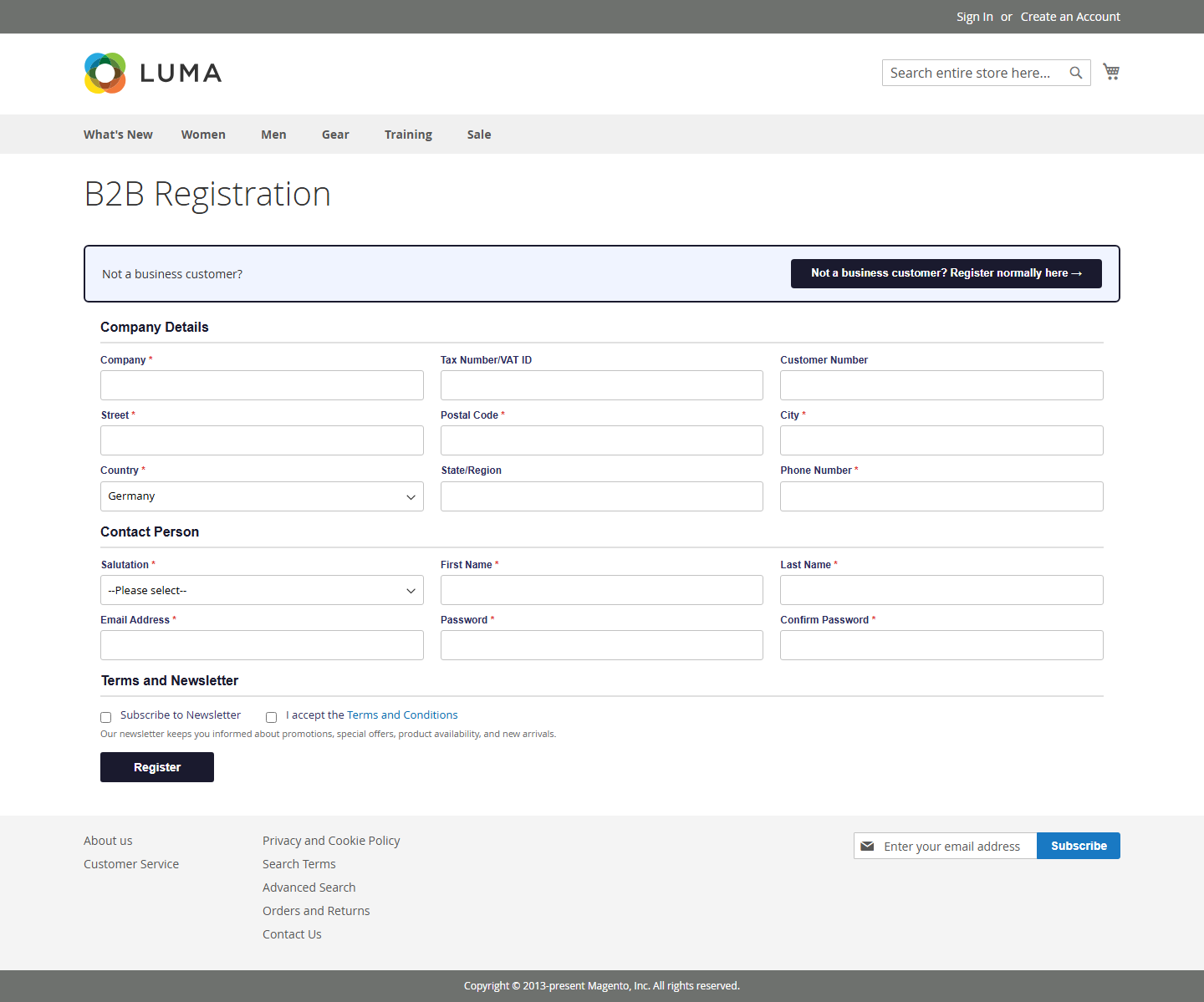
Field visibility for Tax Number/VAT ID, Customer Number and Salutation is configurable per store view — hidden, optional or required. The hybrid banner at the top links to the standard B2C registration form; its visibility depends on the configured registration mode.
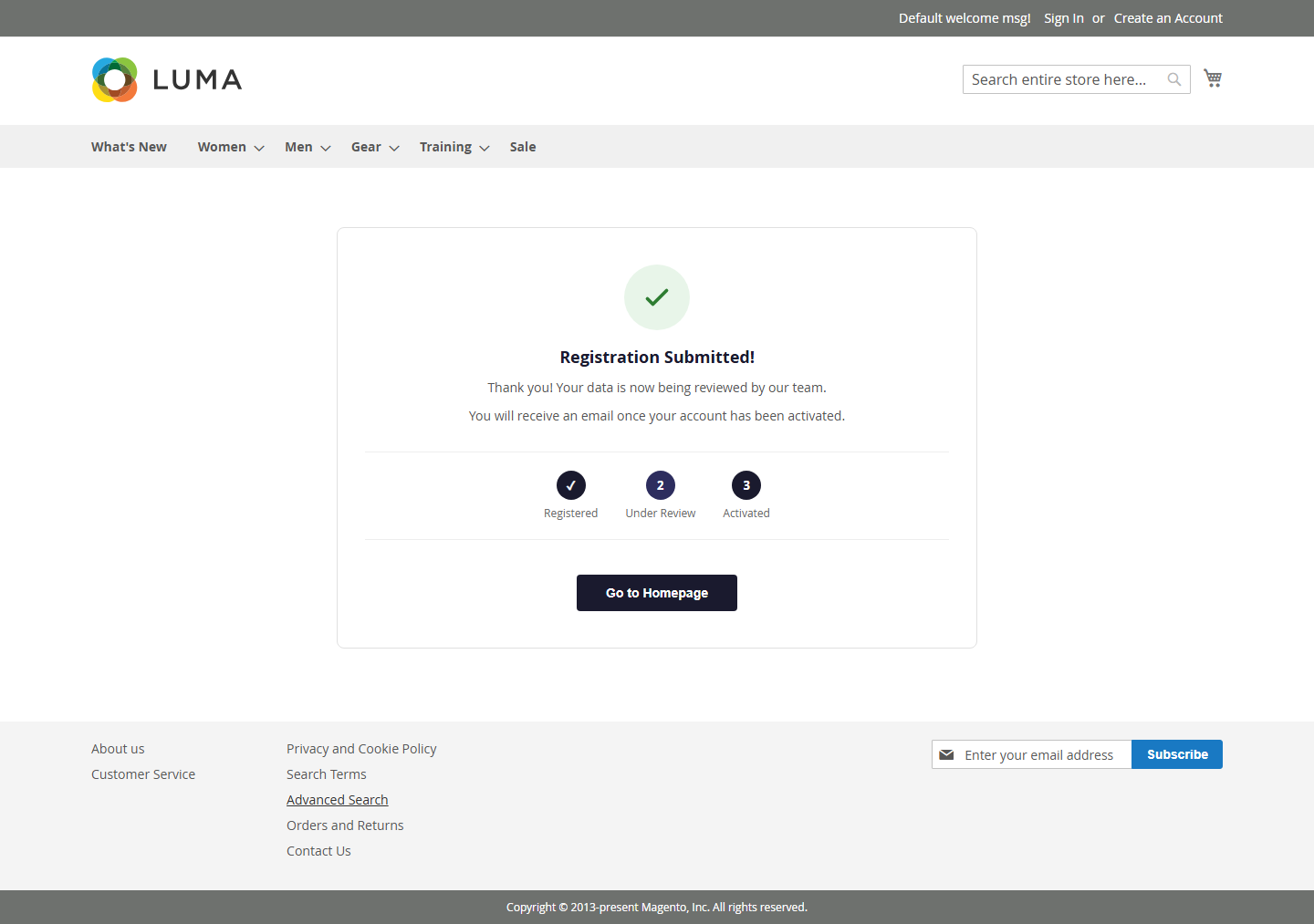
After Submission
After a successful submission the customer sees the success page with a 3-step progress indicator (Registered → Under Review → Activated). A confirmation email is sent to the customer, and the admin receives a notification that a new B2B account is waiting for approval.
The Admin Workflow
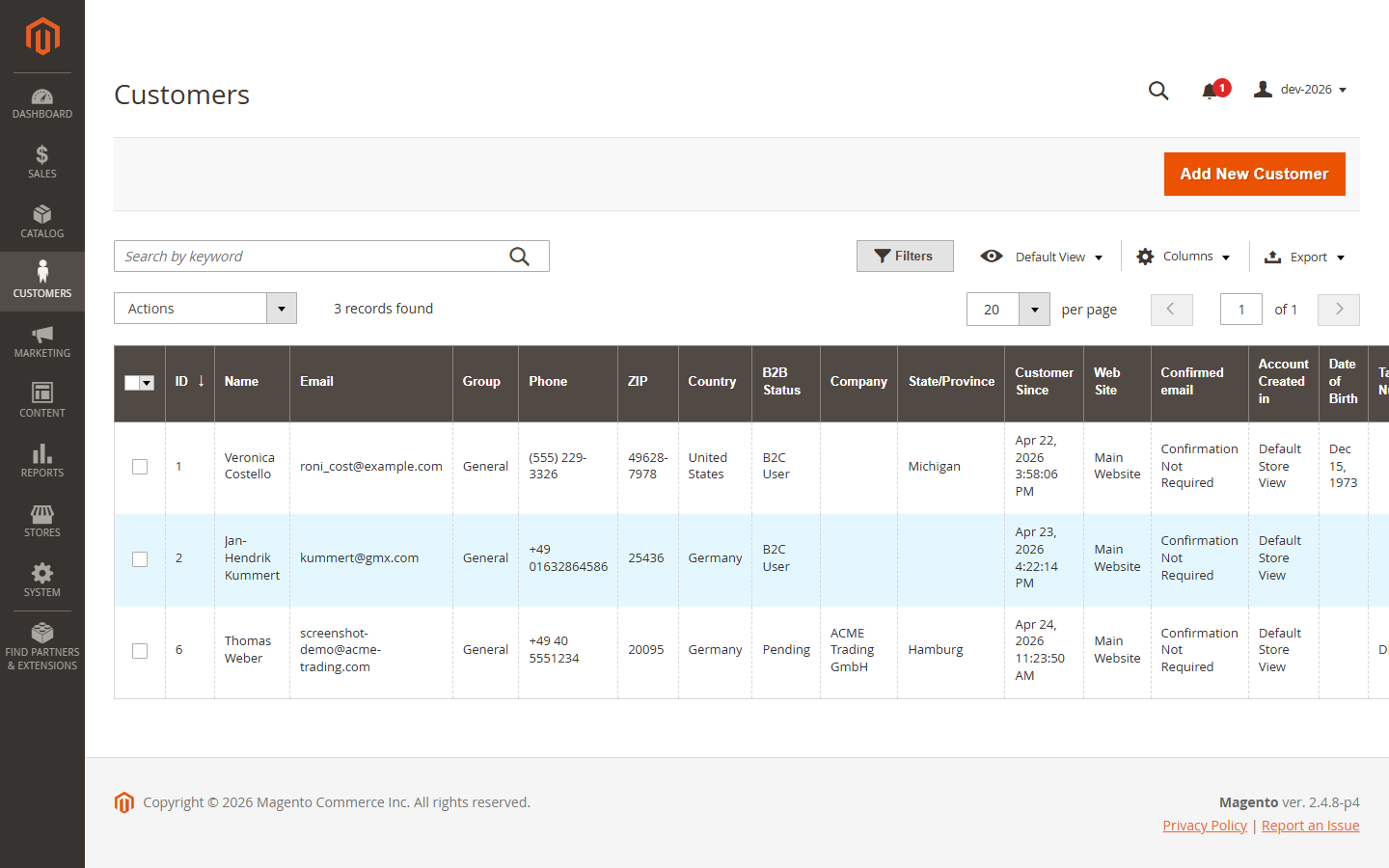
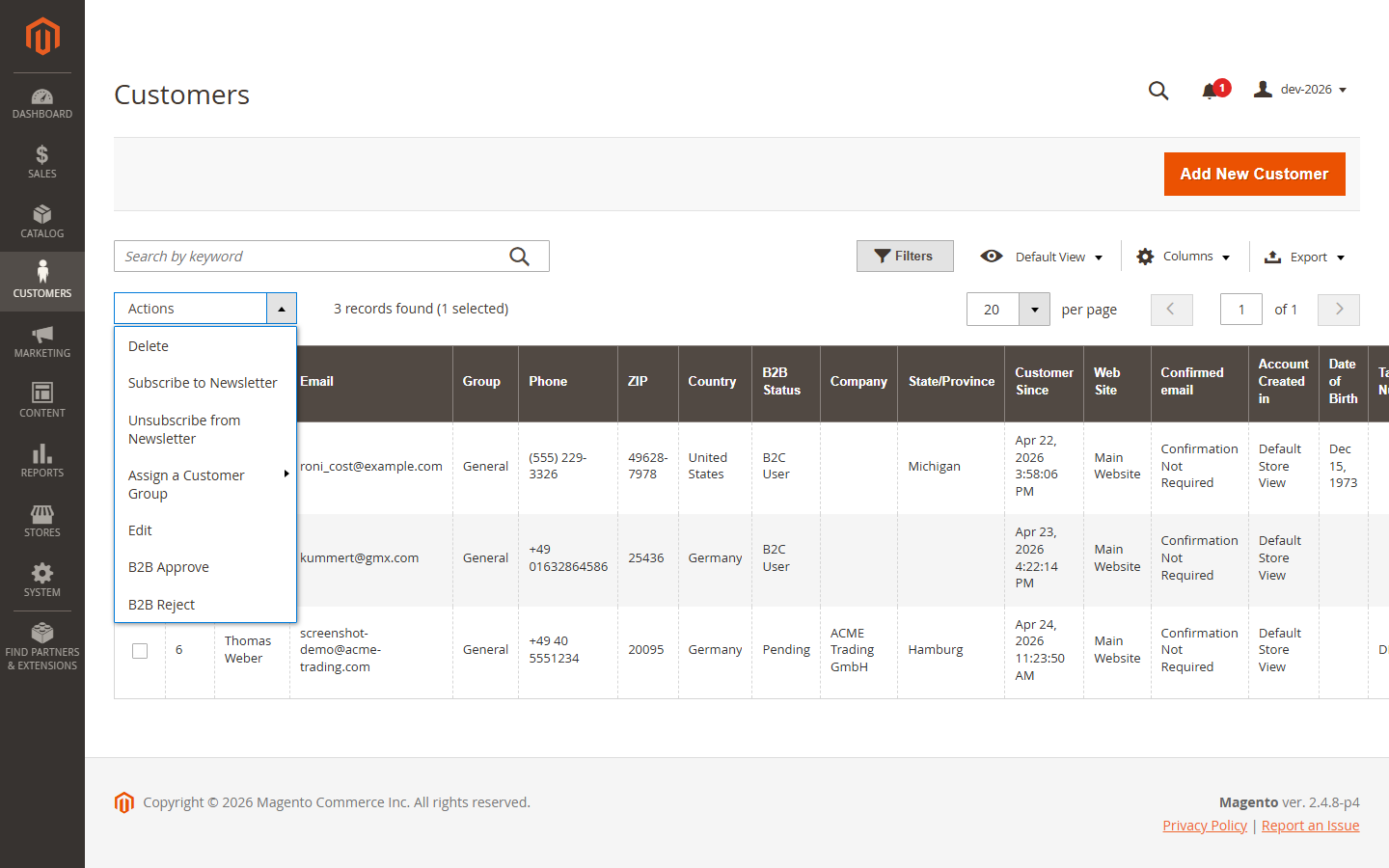
In the Magento admin, the customer grid gains two new columns: B2B Status (Pending / Approved / Rejected / B2C User) and Company. Both are filterable, sortable and included in the Default View.
Approving and Rejecting
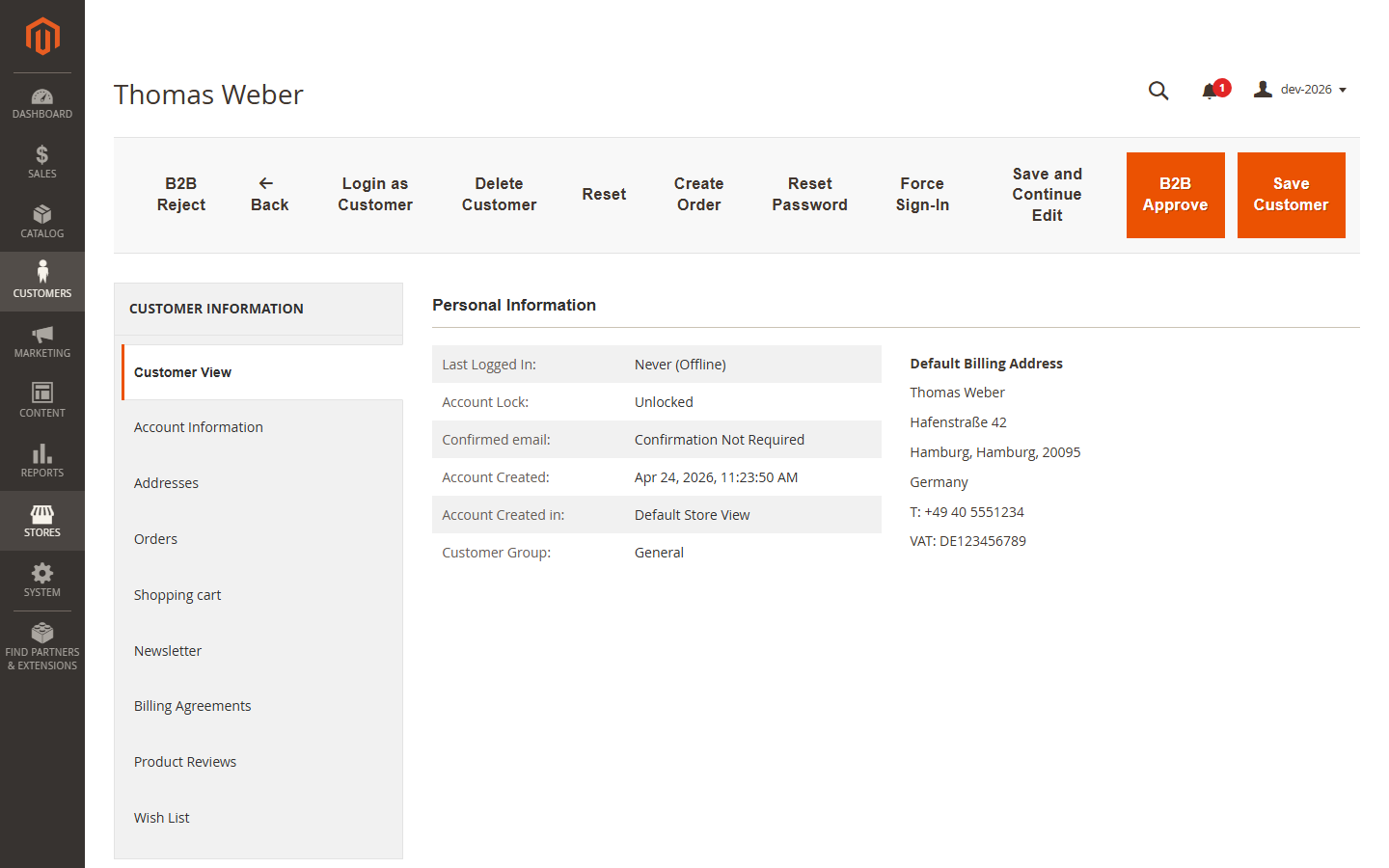
Each customer edit page adds two action buttons in the top toolbar: B2B Approve and B2B Reject. Approving moves the customer to the configured approved customer group and sends the approval email. Rejecting sends the rejection email and keeps the customer blocked from login.
For batch processing, the same two actions are available in the customer grid mass-actions dropdown — select multiple customers and approve or reject in one click.
Administrative Configuration
All settings live under Stores > Configuration > STM > B2B Register, organised into six groups.
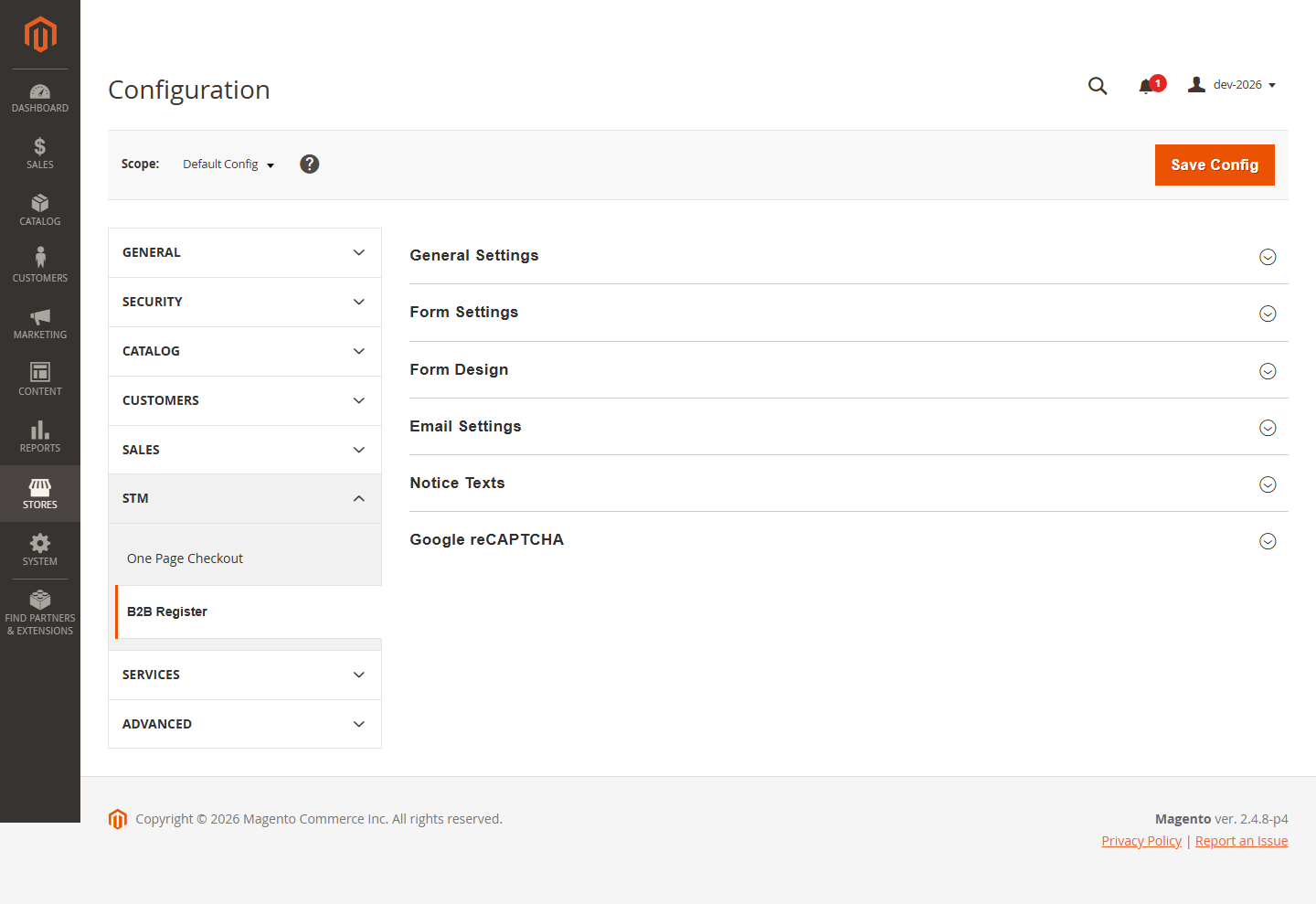
- General Settings — module toggle, page title, pending / approved customer groups, default country, registration mode, hybrid link texts.
- Form Settings — field visibility (hidden / optional / required), Terms & Conditions CMS page, newsletter checkbox, success message.
- Form Design — primary and secondary colors via color picker.
- Email Settings — toggles for registration confirmation, approval and rejection emails; email sender identity; admin notification options and recipient addresses.
- Notice Texts — login-blocked messages (pending / rejected), registration success message.
- Google reCAPTCHA — enable reCAPTCHA v2 and provide the site and secret keys.
Email Templates
Four email templates ship with the module, all editable under Marketing > Email Templates:
- B2B Registration Received — sent to the customer on submit.
- New B2B Registration — sent to the admin on submit.
- B2B Account Approved — sent to the customer on approval.
- B2B Account Rejected — sent to the customer on rejection.
Internationalization
English is the base language. A German translation (i18n/de_DE.csv) is included. All user-facing strings are fully translatable via the standard Magento CSV format — drop additional files into the i18n/ directory.
Support
Support is provided by Storetown Media through the Adobe Commerce Marketplace support link on this listing. Expected response time is within two business days.
Installation Guide
Requirements
- Magento Open Source 2.4.x or Adobe Commerce 2.4.x
- PHP 8.1, 8.2, 8.3 or 8.4
- Composer 2.x (recommended) or SSH / FTP access for manual upload
- Magento in developer or production mode — default mode is also supported
Installation via Composer (recommended)
Run the following commands from the Magento project root: composer require storetown-media/module-b2b-register If Magento is in production mode, also run bin/magento setup:static-content:deploy for every active locale.
Manual Installation
Extract the ZIP archive so the module sources land under app/code/STM/B2bRegister/, then run the same enable / upgrade / compile / flush sequence:
Verification
Confirm the module is active and the new attributes are in place: bin/magento module:status STM_B2bRegister # expected: Module is enabled Open the Magento admin and navigate to Stores > Configuration > STM > B2B Register. The configuration section must be visible with six groups: General, Form, Form Design, Email, Notice Texts and Google reCAPTCHA. Open the frontend URL /b2bregister/account/create on a configured storefront. The B2B registration form must render without JavaScript errors.
Troubleshooting
Class STM\B2bRegister\...\X does not exist The module was extracted to the wrong folder. The path must be exactly app/code/STM/B2bRegister/ (case-sensitive). Delete generated/ and var/cache/, then re-run setup:upgrade and setup:di:compile.
Frontend styling missing after install Run bin/magento setup:static-content:deploy -f for each active locale and flush the cache. “Invalid form key” on submit The form page is served from the Full Page Cache. This is handled by the module via cacheable=“false“ on the registration form block; if the page is still cached, verify that no custom cache layer (Varnish, CDN) caches the registration URL.
Uninstall
To temporarily disable the module without removing data: bin/magento module:disable STM_B2bRegister To fully uninstall via Composer: bin/magento module:uninstall STM_B2bRegister The module does not modify Magento core tables. Six custom EAV attributes are added to the customer entity; existing customer records are preserved when the module is disabled or uninstalled.
Licensing
STM B2B Register is distributed as a commercial Magento 2 / Adobe Commerce extension under the Storetown Media Commercial License. A valid license, acquired through the Adobe Commerce Marketplace or directly from Storetown Media, grants the licensee a non-exclusive, non-transferable right to install and use the software on the number of production and non-production environments specified in the license terms. Full terms are included in LICENSE.txt in the module root.
Support
Support is provided by Storetown Media through the Adobe Commerce Marketplace support link on this listing. Expected response time is within two business days.
Frequently Asked Questions
Which Magento and Adobe Commerce versions are supported?
Magento Open Source and Adobe Commerce 2.4.4 and higher, on PHP 8.1 or higher. The module ships declarative schema only and performs no core rewrites.
Does it work with Hyvä themes?
Yes. The registration form, the success page, the hybrid banner and the login notice are plain HTML and CSS templates with no JavaScript-framework dependency, so they render under Hyvä as well as under Luma-based themes.
What happens to customers who registered before the module was installed?
Nothing. Existing accounts keep their customer group and their login; the B2B status column shows them as B2C User. Only accounts created through the B2B registration form enter the approval workflow.
Can an account be approved from outside the Magento admin?
Yes. The service contract STM\B2bRegister\Api\B2bRegistrationInterface exposes approve(), reject() and getStatus() with the same business logic as the admin buttons — usable from an ERP integration, a CRM or a scheduled job.
Is the standard Magento welcome email really suppressed?
Yes, and that is the point. The welcome email contains a working login link. A plugin on the welcome-email pipeline suppresses it for B2B registrations, so an unapproved account never receives a way in. The customer gets the B2B confirmation email instead.
What happens if no approved customer group is configured?
The customer stays in the pending group after approval and waits for manual assignment. That is deliberate: it lets an admin route each trade customer to a specific dealer, reseller or wholesale tier instead of one blanket group.
Support
Questions about this extension are answered through the support link on the Marketplace listing. For pre-sales questions and custom requirements, get in touch.
 {% endif %}
{% if title and title != "" %}
{{ title }}
{% endif %}
{% if excerpt and excerpt != "" %}
{% endif %}
{% if title and title != "" %}
{{ title }}
{% endif %}
{% if excerpt and excerpt != "" %}